Technical debt
IT Future: Tech Debt
“What is technical debt costing every month, and what should be fixed first?”
Why teams buy this
- The decision
- What is technical debt costing every month, and what should be fixed first?
- Cost of a wrong call
- Debt described in adjectives loses every budget round, so the drag compounds quarter after quarter.
- What you'd do otherwise
- An architecture review that lists problems without pricing them, or a remediation budget set by negotiation.
- What you see first
- What debt costs every month and where it sits, a fix-first register, and what a given budget retires and how fast it pays back.
- Sample result
- $408,217 a month in technical-debt drag across 28 open items, with 6 systems past end of support. Meridian Retail Group, a fictional retailer. Illustrative sample data.
- Start here
- Buy the Power BI pack ($690, both IT Future products) and run it on your own exports, or start with the free Business Soundcheck. See the pack

What it shows
- What technical debt costs every month, and where it is concentrated.
- A debt register ranked by cost to fix against monthly drag.
- Drag over 8 quarters, funded against unfunded, as P10 / P50 / P90 ranges.
- What a given budget funds, retires and pays back.
Outcomes
- Technical debt stated in dollars a month, not adjectives.
- A fix-first list the business can agree to.
- A remediation budget with its payback period attached.
Built for: CIOs, CTOs and finance partners deciding how much to invest in remediation.
Product specification
Four report pages plus a methodology appendix: Tech Debt Overview, Debt Register & Priorities, Debt Forecast, and Remediation Investment Plan.
Every figure is in dollars per month. Risk exposure is annual likelihood times impact divided by 12, with both inputs visible on the register. Drag is forecast over 8 quarters with a Monte Carlo simulation, funded and unfunded, and the investment plan shows what a chosen budget retires and how fast it pays back.
- Pages
- 4 + appendix
- Units
- USD per month
- Forecast
- 8 quarters, P10 / P50 / P90
- Format
- Power BI (PBIP), CSV inputs
How it's delivered: days, not months
- ScopeA short call to agree the decision it needs to support and which data you already have.
- LoadYour exports go into the model's CSV templates. No live connection to your systems is needed to start.
- RunThe model runs on your data, and every number traces back to its inputs and the documented method.
- Hand overYou keep the Power BI file, its design walkthrough and engineering companion, or our practitioners run it with you each month.
What's in the box · IT Future (Tech Debt + Workforce & Capability) pack
Power BI report
- Tech Debt Overview
- Debt Register & Priorities
- Debt Forecast
- Remediation Investment Plan
- Capacity vs Demand
- Key-Person & Skills Risk
- Capability Forecast
- Workforce Investment Plan
- Appendix — Methodology
Guides
- Design Walkthrough, 21 pages (PDF and Word)
- Engineering Companion, 29 pages (PDF and Word)
- Agent implementation kit: ordered steps with a check at each one, a file manifest with checksums, a JSON Schema for every data file and a validator, so an AI agent or engineer can implement it without guesswork
Data
3 configuration · 10 synthetic sample data CSV files. The sample organisation is Meridian Retail Group, a fictional retailer (USD, as at 30 Sep 2026); no real client data is included.
How results are calculated
Debt drag, the 8-quarter debt forecast, the 6-quarter skills forecast and the investment plans are calculated by Signal Band's IT Future engine (2,000-run simulation) before the data is loaded; the calibration stays with the engine. The pack ships the sample organisation's results. To recalculate with your own data, run the engine on your inputs: 10 credits a run through the API once the it-future engine is live, and until then email your inputs to [email protected] and we run it for you at the same credit cost.
Verify your install: the guide lists 5 numbers the report must show on the sample data.
You need
- Power BI Desktop (Windows)
Not included
- Implementation support
- Technical support beyond documentation
- Practitioner interpretation (available as Practitioner Review)
One-off payment, no subscription. One organisation. 12 months of updates. Every download is stamped with your licence record. Digital products are delivered immediately, so purchases are not refundable except where the law requires (your Australian Consumer Law rights are not affected). Licence terms.
Three ways to use it
Self-serve · engine
Engine coming soon
This product's engine is being prepared for the API. Run the free Soundchecks in the meantime.
DevelopersSelf-serve · Power BI
Buy the pack · $690
The Power BI report, guides, sample data and agent implementation kit listed above. Covers both IT Future products: Tech Debt and Workforce & Capability. One organisation, 12 months of updates, no support.
With a practitioner
Set up and run with you
A practitioner runs it on your data and interprets the result. Sized per client, starting with a $750 Practitioner Review.
Book a walkthroughSee IT Future: Tech Debt running on your own data.
More in Futures
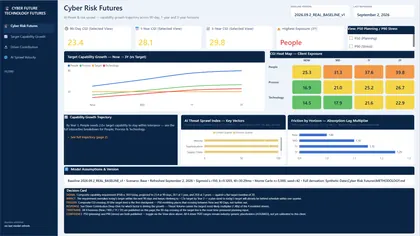 Cyber Future A forecast of the capability each pillar needs as the threat landscape grows.
 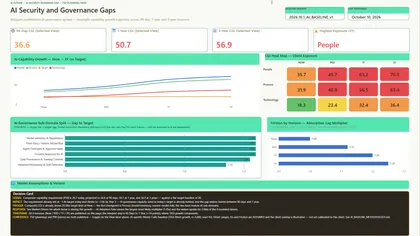 AI Future How fast AI adoption and AI-related threats are growing against the governance you have.
  IT Future: Workforce & Capability Capacity against demand, key-person risk and the skills gap, with the cost of closing it.